Lab easy du parcours SOC1 – Threat Intel
Introduction
The accountant at the company received an email titled « Urgent New Order » from a client late in the afternoon. When he attempted to access the attached invoice, he discovered it contained false order information. Subsequently, the SIEM solution generated an alert regarding downloading a potentially malicious file. Upon initial investigation, it was found that the PPT file might be responsible for this download. Could you please conduct a detailed examination of this file?
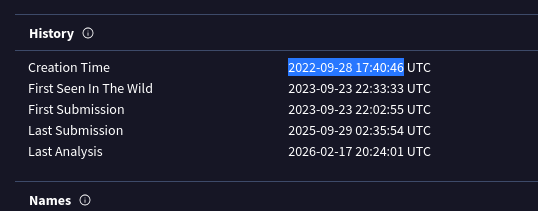
1 – Determining the creation time of the malware can provide insights into its origin. What was the time of malware creation?
On commence le challenge avec un hash : 12c1842c3ccafe7408c23ebf292ee3d9
On commence par VirusTotal pour obtenir quelques informations de base
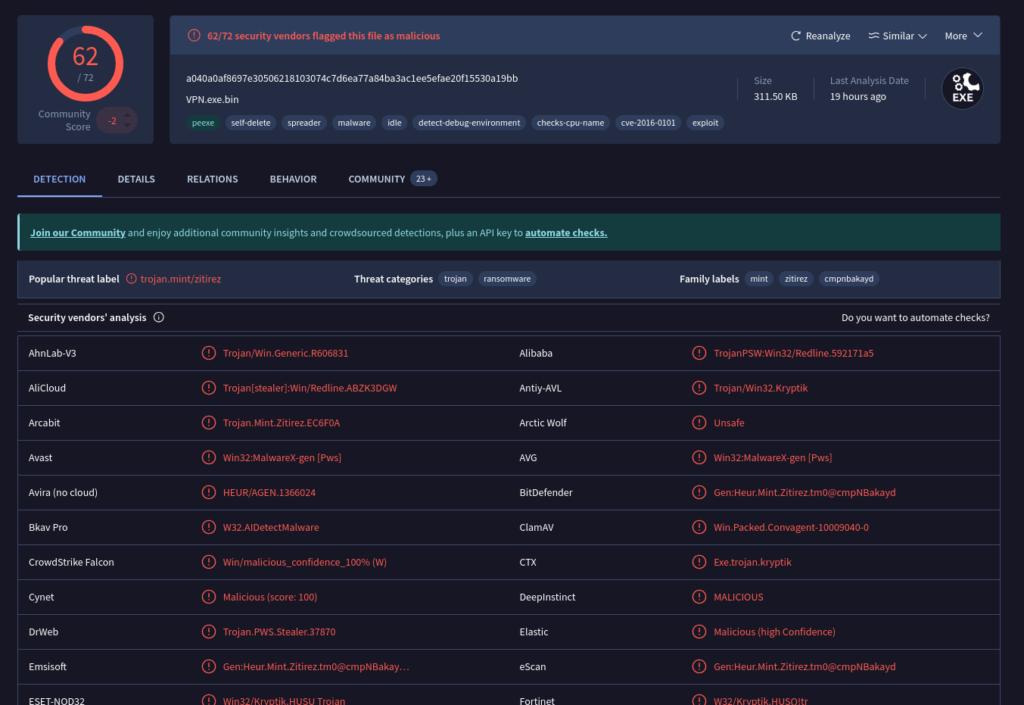
On est clairement sur quelque chose de malicieux.
Virus total nous donne toutes les details collecté, notamment la création
2 – Identifying the command and control (C2) server that the malware communicates with can help trace back to the attacker. Which C2 server does the malware in the PPT file communicate with?
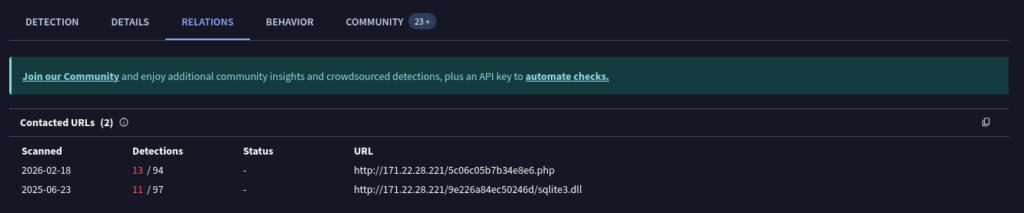
Comprendre les servers C2 qui viendront communiquer avec le malware nous permettra d’identifier les acteurs et pouvoir mener des investigations plus profondes :
3 – Identifying the initial actions of the malware post-infection can provide insights into its primary objectives. What is the first library that the malware requests post-infection?
Sur la capture précédente, nous pouvons voir qu’un des premiers call vers l’IP concerne la librairie sqlite3.dll
4 – By examining the provided Any.run report, what RC4 key is used by the malware to decrypt its base64-encoded string?
Any.run permet d’exécuter des malwares dans une sandbox et obtenir un rapport. Dans le rapport, on obtient la clé RC4

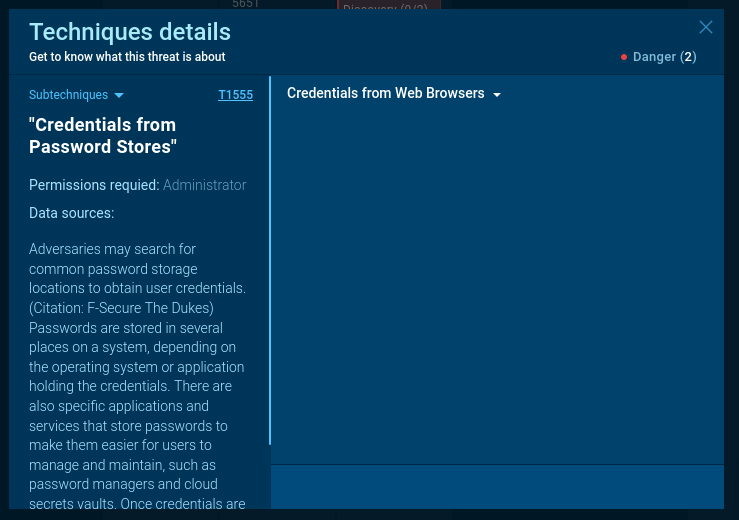
5 – By examining the MITRE ATT&CK techniques displayed in the Any.run sandbox report, identify the main MITRE technique (not sub-techniques) the malware uses to steal the user’s password.
Dans la console AnyRun, dans la partie « Live analysis », on peut obtenir plus d’informations sur la partie MITRE ATT&CK :
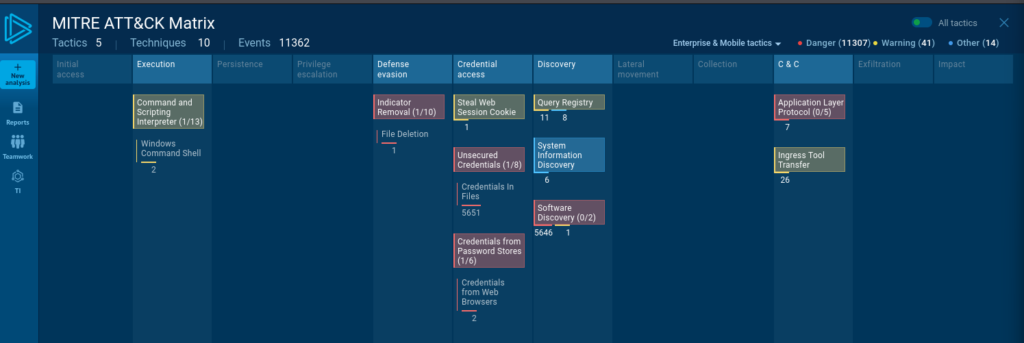
On peut voir l’ensemble des Techniques employés par le malware. On peut donc voir que pour la partie extraction des mots de passes des utilisateurs.
6 – By examining the child processes displayed in the Any.run sandbox report, which directory does the malware target for the deletion of all DLL files?
L’intérêt des sandbox, comme Any.run, c’est de voir en direct les différents process et les actions des malwares :
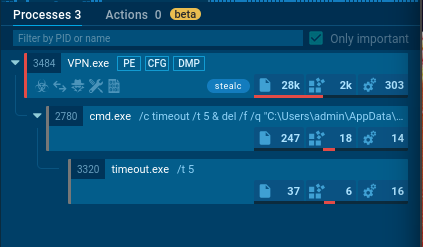
Ici, on peut voir que le deuxième process exécute dans un CMD la suppression des dll présents dans C:\ProgramData\*.dll
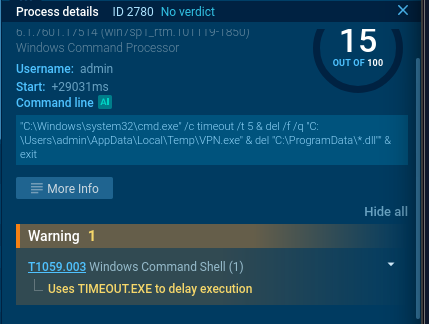
7 – Understanding the malware’s behavior post-data exfiltration can give insights into its evasion techniques. By analyzing the child processes, after successfully exfiltrating the user’s data, how many seconds does it take for the malware to self-delete?
Dans l’analyse, on voit clairement qu’après 5 secondes, le malware s’autodétruit.
Et voilà 🙂